
Yucca, Organ Mountains, New Mexico. Monday, Jan 8, 1990. Canon AE-1, Fujichrome 50 slide film.
This is one of my favorite images from New Mexico so I decided to see if I could find the GPS coordinates using Google Earth Pro (a free software download). I was staying in Las Cruces New Mexico and I decided to take pictures at sunrise on the east side of the Organ Mountains.
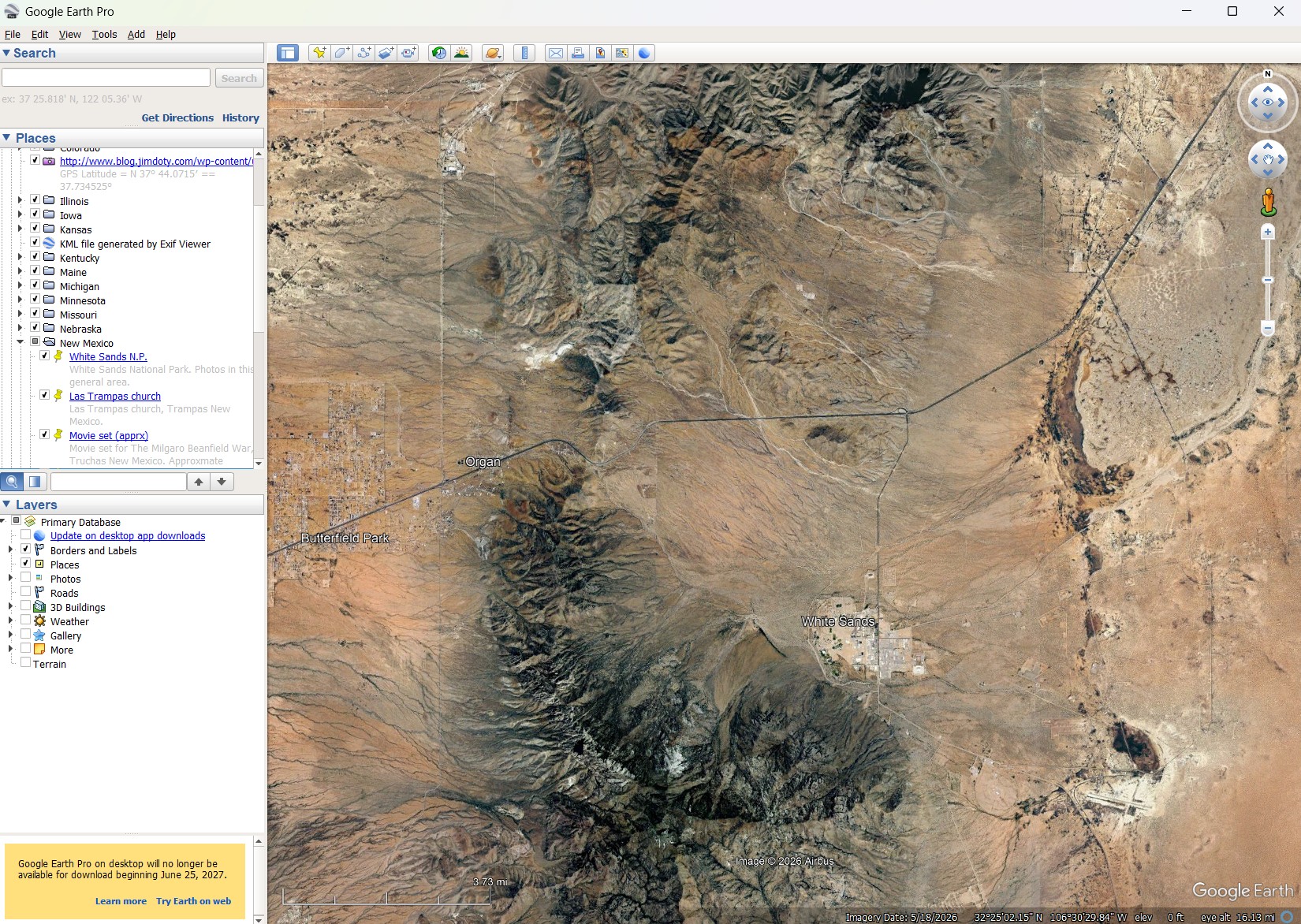 The process is relatively simple, provided the photo location isn’t too far from the road.
These were my steps. Open Google Earth Pro and navigate to U.S. 70 on the map near Las Cruces. Then go northeast of the Organ Mountains on U.S. 70, grab the orange man (upper right) and drag him to U.S. 70 to open “street view”. Then drive up and down U.S. 70 using street view until I find the right point of view. Then drop a yellow pin on the map at the right spot.
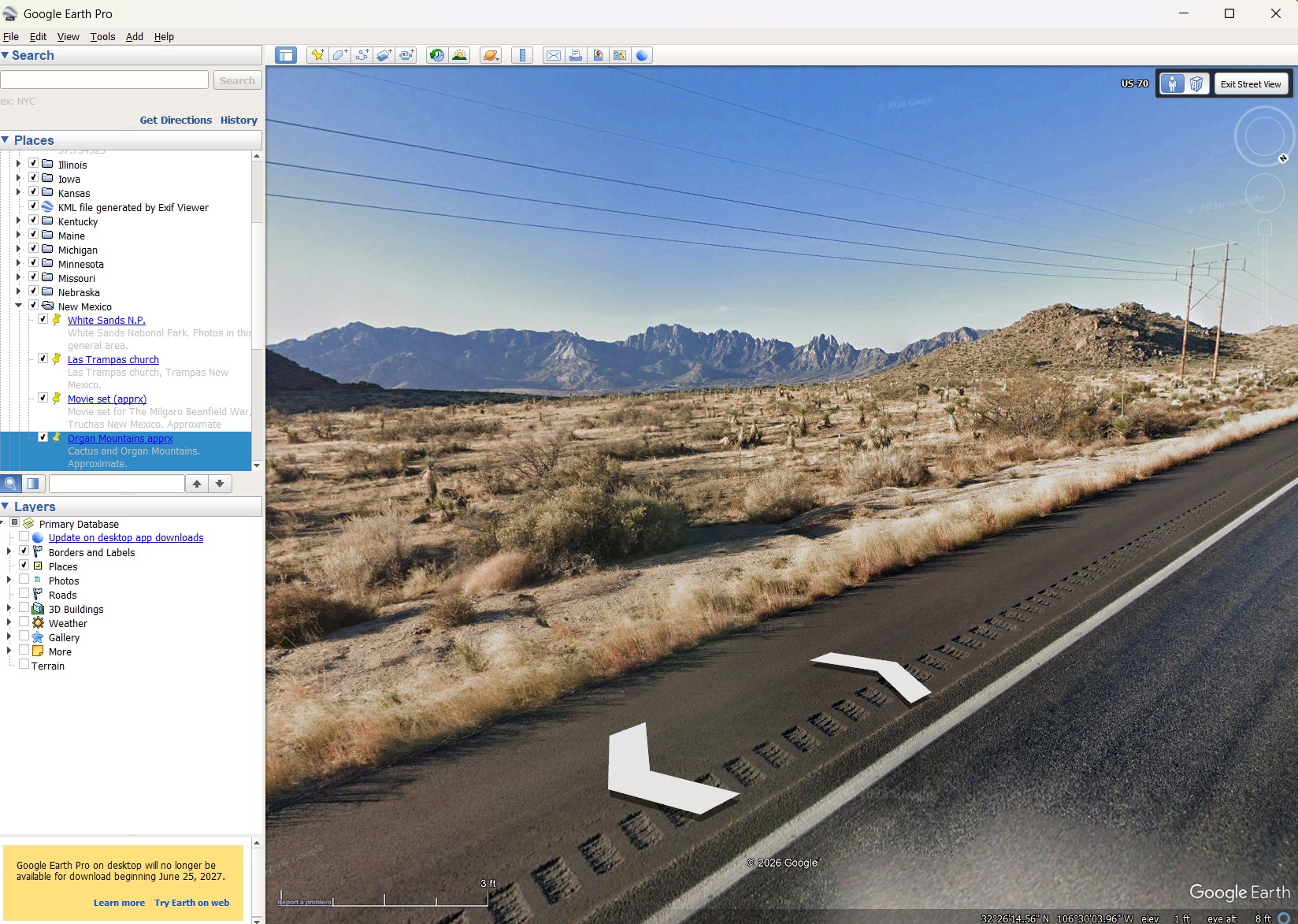
Screen capture: Google Earth Pro, Street View. Organ Mountains from U.S. 70, looking southwest.
When you are in “street view” just click on the white arrows to travel up and down the highway or street of your choice. When using the software, if you grab the N (for north) in the circle at the upper right, you can point the Google Earth camera in the direction of your choice. I wanted to look southwest toward the mountains.
When traveling down a highway, the Google camera vehicle takes a still photo about once every 30 to 35 feet. At 30-35 feet per click, it took me a while to find the spot on the highway that matched my photo. The above image is close to the right location but not quite there.
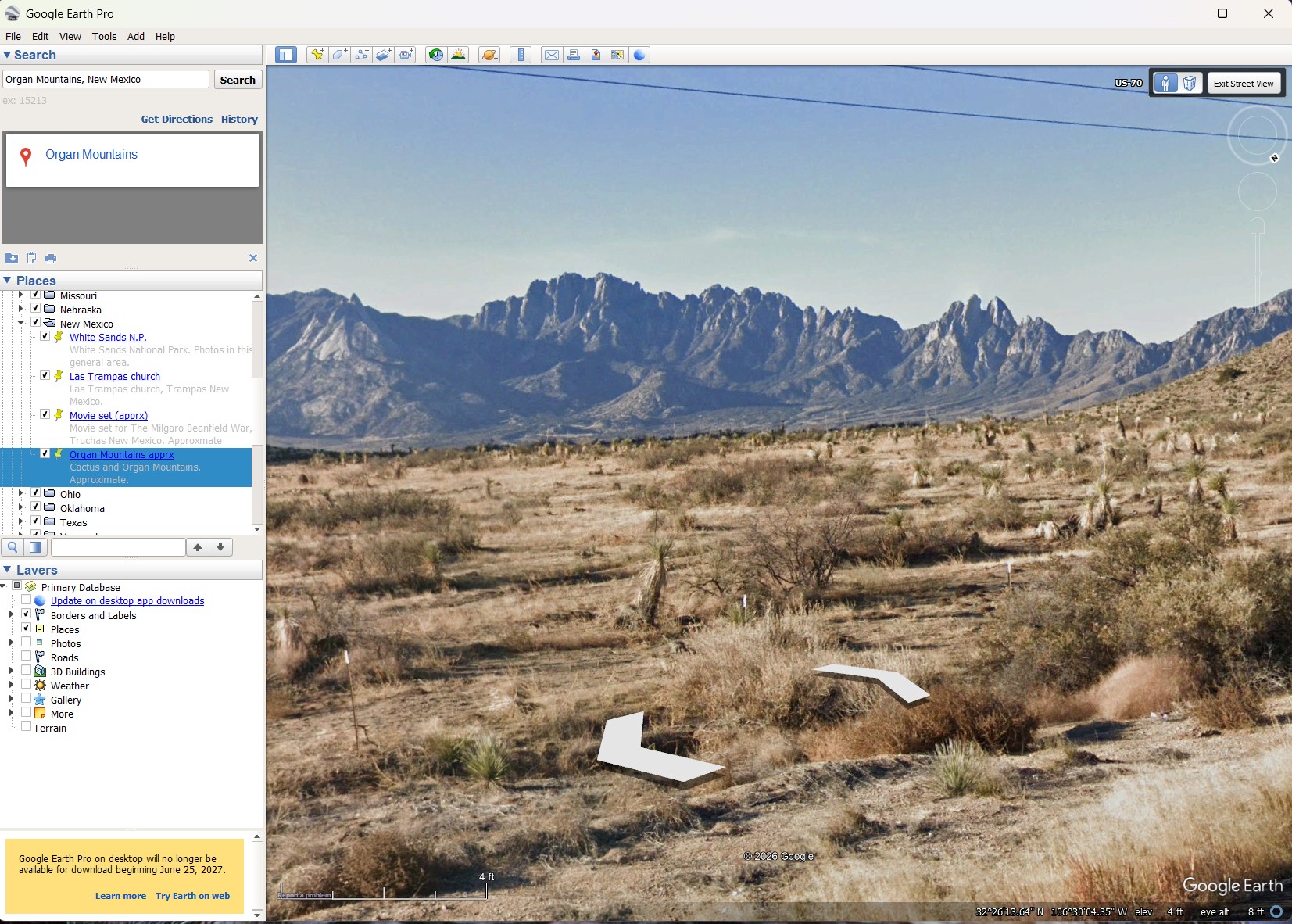
Screen capture: Google Earth Street View with the camera zoomed in on the mountains.
This is as close as I can get on the highway to my original photo location in 1990. I zoomed in with Google Earth Pro to get a closer look at the mountains.
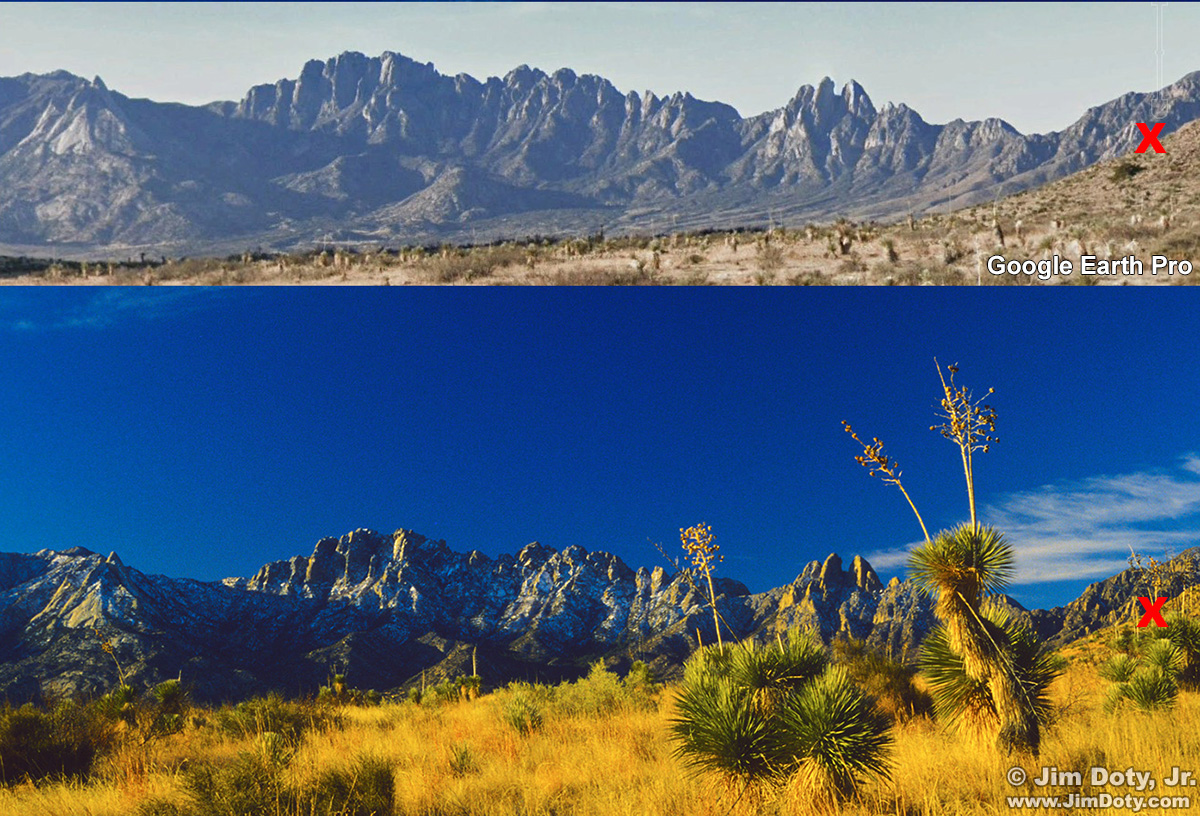
Comparison: Google Earth Pro (top) and my original image (bottom). Click to see a larger version.
In this comparison. Part of the Google Earth Street View image is on top, and part of my original image is on the bottom. They line up very nicely with Rabbit Ears Peak very obvious toward the right. How do I know I am close to the right location? Look at the area to the left of the two Red Xs. On the mountain there is a long dark angular gash bordered by light colored rocks. (Click the image to make this more obvious.) In just two clicks going down the highway in street view (about 60-70 feet), this gash goes from not visible at all to visible just above the nearby ridge. This match between Google street view and my original image is as close as I can get, at least from the highway, to my original location.
The perspective in the images is different. Google used a wide angle lens while driving down the highway. I cropped their image for the second street view illustration. I pulled off the highway, got out of my car, walked toward the nearby ridge, set up my tripod and created my image with a longer focal length lens. Plus there were bigger yucca plants much closer to the road when I created my image. That changes the perspective. That also means the GPS coordinates from Google will be off by however far I walked from my car to get my image.

Google Earth GPS Coordinates. Southwest is at the top.
The yellow pin marks the location of the Google Earth Street View image on U.S. 70. I walked closer to the nearby ridge to create my image, but this pin is relatively close to where I was.